
For Google Analytics 4 and Search Console
See what grows your website or app.
GrowthStats turns the data you already have in Google into one simple dashboard: where visitors come from, what sells, and what to fix next.
- Read-only access
- No new tracking script
- Your full history from day one
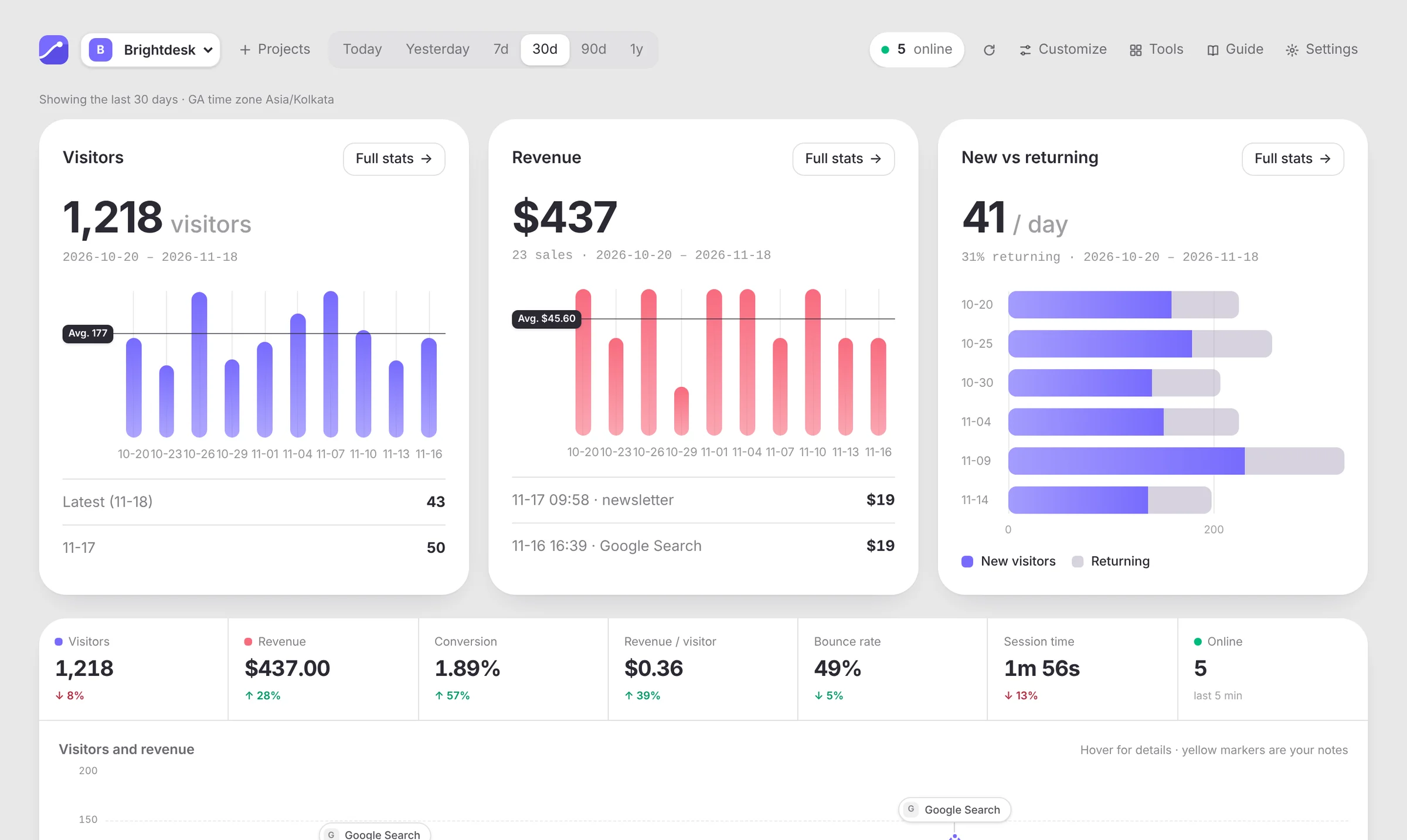
Sample data from a made-up site.
How it works
Set up in a minute. Really.
- 1
Sign in with Google
One click. GrowthStats asks for read-only access to Analytics and Search Console. It can't change anything.
- 2
Pick your sites and apps
Your GA4 properties show up in a list. Tick the ones you want; matching Search Console sites are found for you.
- 3
See what's growing
Your full history is there from minute one. No new script, no waiting weeks for data to pile up.
Features
GA4 is powerful. It's also hard to read.
GrowthStats shows the answers you actually check, on one page, in plain words.
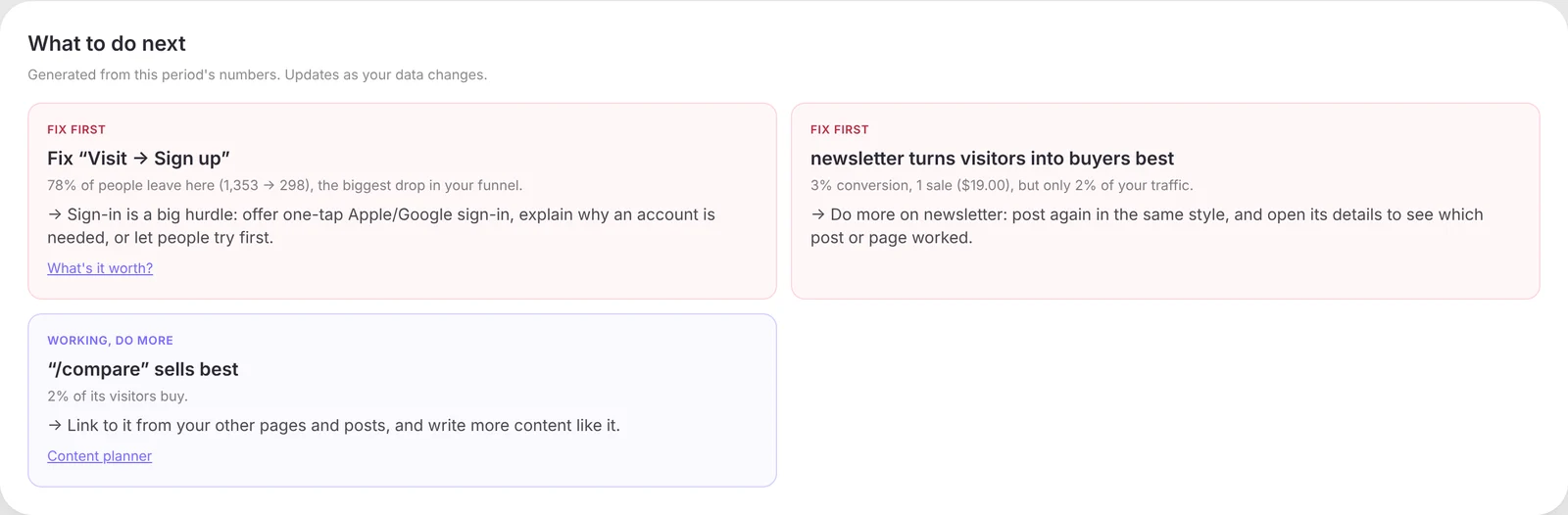
What to do next
Plain advice, not just charts
GrowthStats reads your numbers and tells you what to fix first and what's working, like the step where most people drop off, or the channel that turns visitors into buyers.
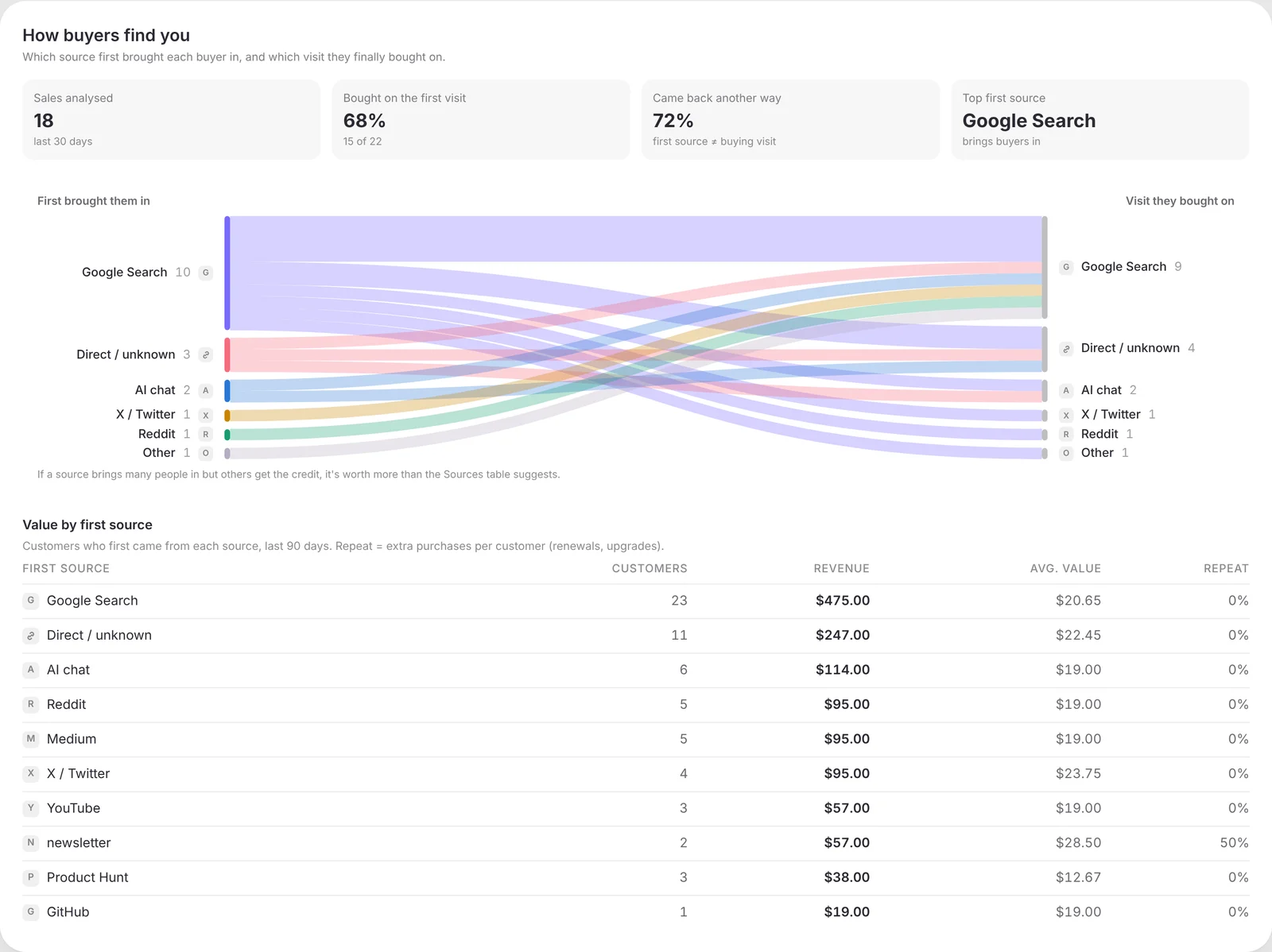
Where buyers come from
Follow the money back to its source
See which channel first brought each buyer in, and which visit they finally bought on. Find the posts, pages and searches that actually pay.
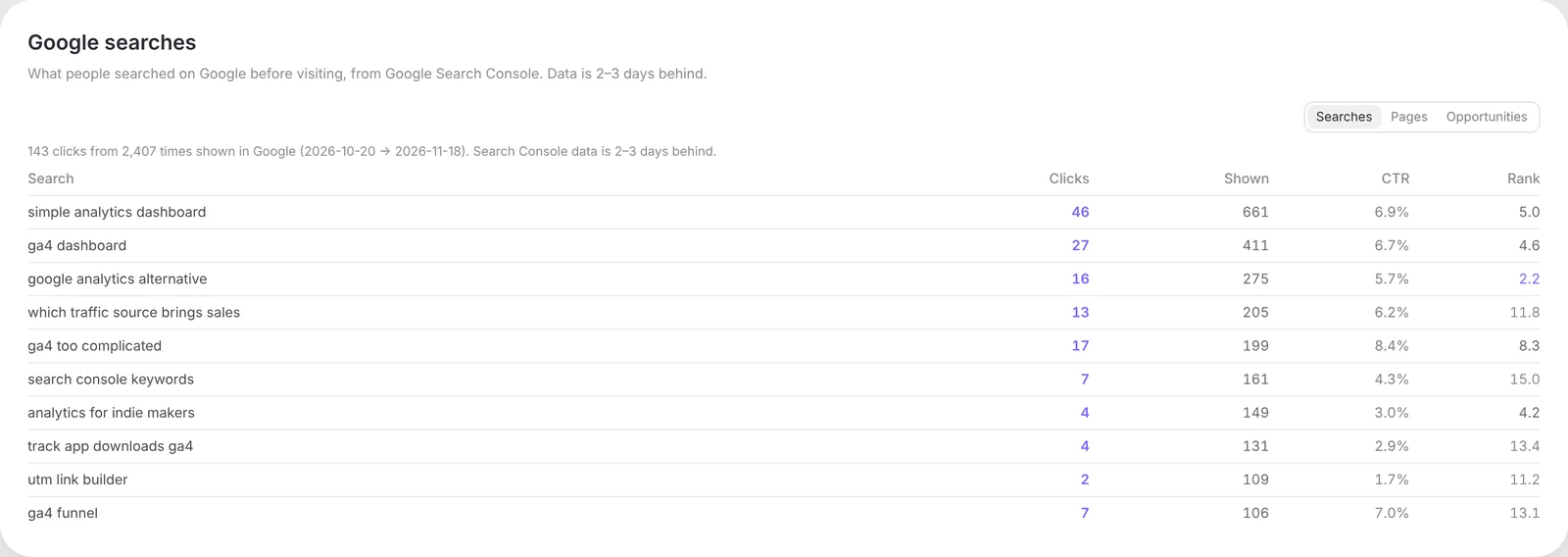
Google searches
The words people typed to find you
Search Console sits right next to your traffic: clicks, impressions, rank, and pages that are close to page one.
Milestones
Celebrate the wins, then share them
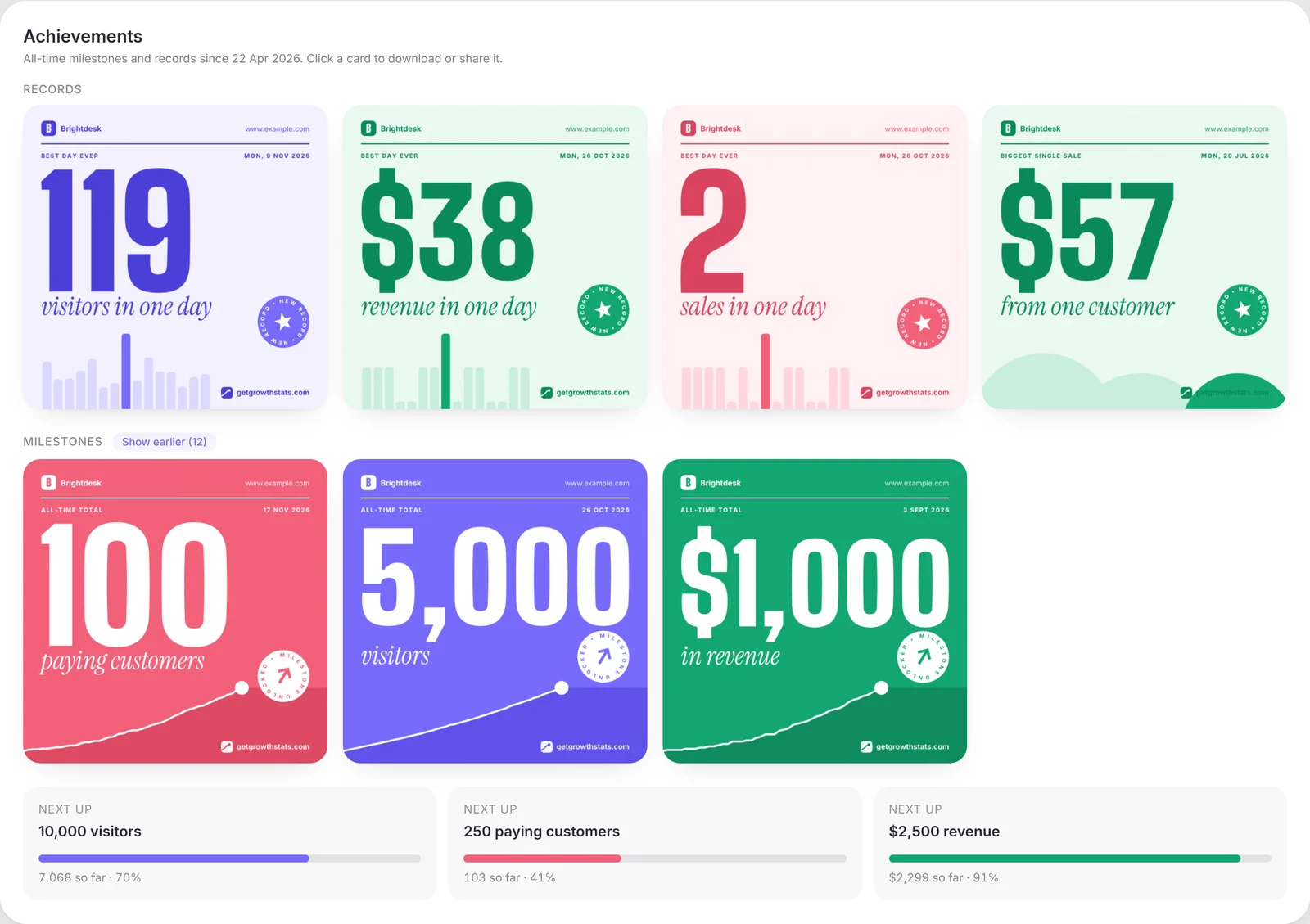
Best day ever, first 100 customers, $1,000 in revenue. GrowthStats spots records and milestones and turns them into cards you can post.
Funnel and peak hours
Find the leak, then pick your moment
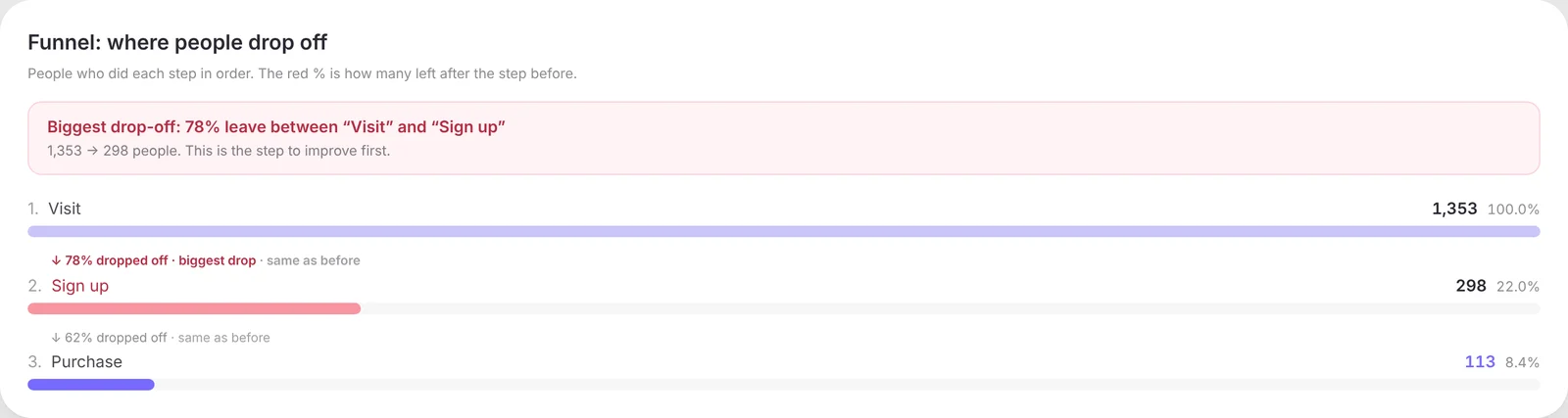
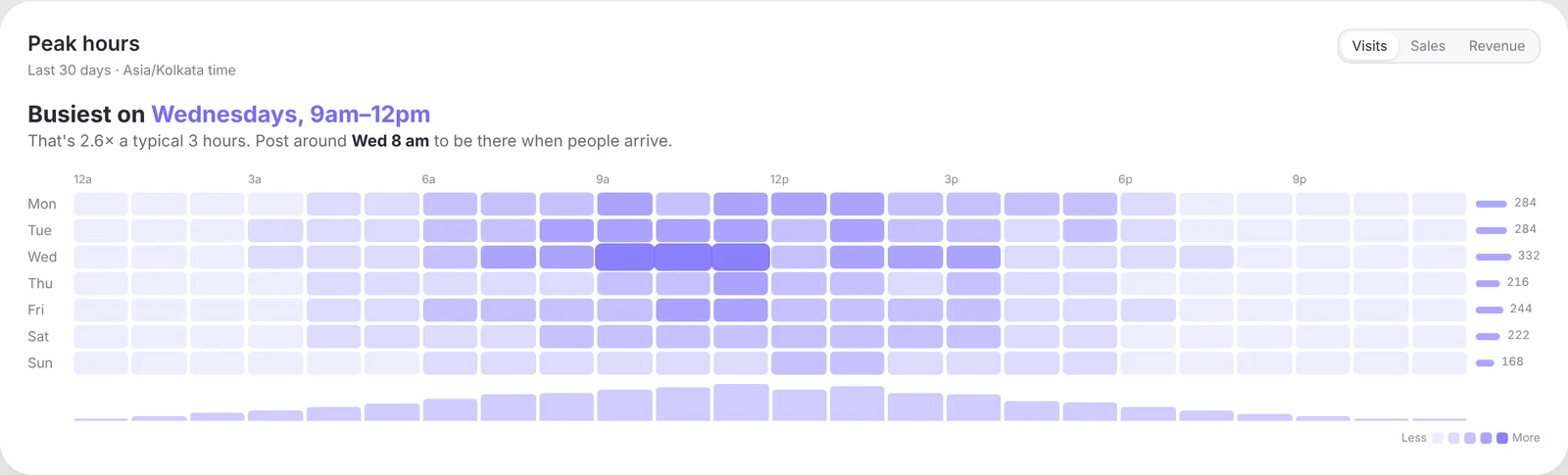
See the exact step where people give up, and the days and hours your visitors actually show up, so you post when they're around.
And more on the same page
- Live visitors on a spinning globe
- Funnel: where people drop off
- Peak hours by day and time
- Returning visitors week by week
- Top pages, countries and devices
- Revenue and every purchase, with its source
- Source icons on traffic spikes
- Works for iOS and Android apps too
Privacy
Your analytics stay with Google.
GrowthStats doesn't copy your analytics into its own database. It asks Google when you look, and only ever reads.
Read-only
It can't change your Analytics or Search Console, ever.
Nothing sold, no ads
Your data is never sold, shared for ads, or used to train AI.
You're in control
Disconnect any time in Settings or in your Google Account.
- Details in our privacy policy.
FAQ
Questions, answered
Do I need to add a new tracking script?
No. If your site or app already uses Google Analytics 4, GrowthStats reads that data. There's nothing new to install, and your full history is there on day one.
Can GrowthStats change my Google Analytics?
No. It only asks Google for read-only access. It can't edit properties, delete data or change settings.
Do you store my analytics data?
No copy of your analytics is kept. GrowthStats asks Google when you open a page and shows the result. The privacy policy lists the few things that are stored, such as your sign-in and the projects you picked.
Does it work for mobile apps?
Yes. Apps that send data to GA4 (for example through Firebase) work the same way as websites, with iOS and Android shown side by side.
What if I don't use Google Analytics yet?
You'll need a free GA4 property first. GrowthStats links you to Google's setup steps, and it takes a few minutes.
Is GrowthStats made by Google?
No. GrowthStats is an independent product made by Fofint. It uses Google's official APIs.
GrowthStats is launching soon.
Want in before everyone else? Send us a note with your site or app and we'll let you know the moment it's ready. Simple pricing, announced at launch.